Pages

Tampilkan postingan dengan label ad. Tampilkan semua postingan

Selasa, 10 Juni 2014

New » Apk »MinMinGuard AD Remover v1 7 0 beta

MinMinGuard (AD Remover) v1.7.0 beta

Android Market App: Android 2.2 + , Root , Xposed Framework

Android Market App: T remove ads inside apps.

T remove ads inside apps following functions which than AdBlock:

1. Totally remove . notice showing content, but field originally taken ad. MinMinGuard remove field!

2. Lightweight. Alternative ad removing apps (AdBlock etc) constantly run a background VPN service, which puts a heavy loading system. MinMinGuard does a VPN service, so system resources and, thus, extends life.

3. Per App Setting. MinMinGuard lets which apps ads from. If want ads from several apps, MinMinGuard best solution.

Change Log:

Version 1.6.4 Beta(26 January 2014)

Api based blocking: AdMarvel network added

Api based blocking: Og network added

Translation: Italian translation added

Translation: Spanish translation added

s

/>

[code]http://goo.gl/o9qPrq[/code]

Download New » Apk »MinMinGuard (AD Remover) v1.7.0 beta :

http://unlimitzone.com/8vbobuma6x3f/...b72e8.apk.html

Mirror New » Apk »MinMinGuard (AD Remover) v1.7.0 beta s:

http://www.tusfiles.net/16u9ky7y6hlw

http://rg.to/file/5747400f3fb4d035e7cf800e0268e2e8

Read More..

Rabu, 05 Februari 2014

Cool Tool system stats 5 3 3 Ad Free apk


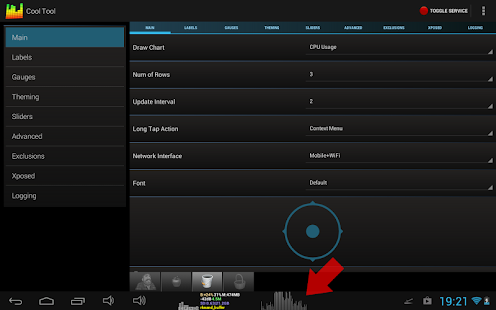
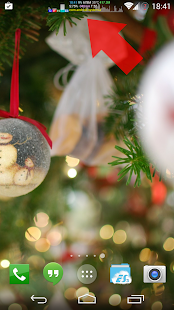
This utility allows you to monitor a various system info in "always on top" floating window (overlay mode).


Size: 0.712 MB
Android Requires : 2.1+

More Info on Google Play:
https://play.google.com/store/apps/details?id=ds.cpuoverlay


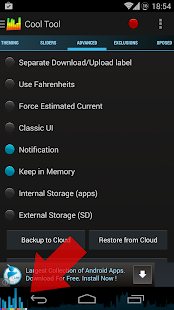
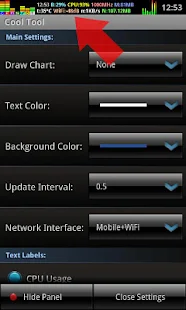
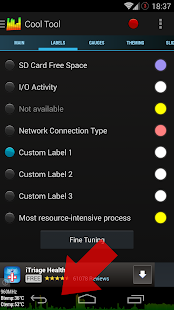
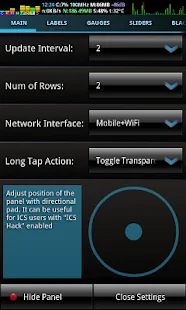
 Cool Tool - system stats - screenshot thumbnailCool Tool - system stats - screenshot thumbnailCool Tool - system stats - screenshot thumbnailCool Tool - system stats - screenshot thumbnailCool Tool - system stats - screenshot thumbnailCool Tool - system stats - screenshot thumbnailCool Tool - system stats - screenshot thumbnailCool Tool - system stats - screenshot thumbnailCool Tool - system stats - screenshot thumbnailCool Tool - system stats - screenshot thumbnail

About Cool Tool - system stats 
This utility allows you to monitor a various system info in "always on top" floating window (overlay mode).
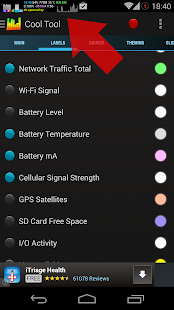
Available features:
- CPU Usage meter
- Free RAM meter
- CPU Frequency indicator
- 2g/3g/Wi-Fi Traffic meter
- Battery Level
- Battery Temperature
- Battery Current (mA)
- Wi-Fi Signal Level
- I/O Activity
- Time/Date indicator
- GSM Cell Signal Level (Samsung Galaxy S2 and Galaxy Note are not supported due to firmware bug!)
- Number of fixed GPS satellites
- SD Card free space
- Most resource-intensive processes
- Task Killer
- Audio VU and visual equalizer

Also there is nice real time graph on background. 
Press Show Panel button to enable dashboard. You can drag floating window over the screen or double tap to open settings. See video and screen-shots for details.

This application allows you to:
- Easy diagnostic problem processes that consume resources excessively.
- With Cool Tool you can monitor full-screen applications (games, video players, browsers).
- Monitor your Internet traffic without closing the browser window.
- Make your battery level always visible, with accurate percentage scale.
- Monitor how good your CPU governor switches between CPU frequencies in idle/stresses

Dont forget to try custom themes!

Tips:
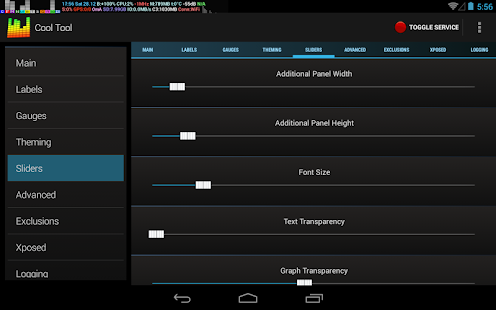
Customize the appearance of the panel using color picker dialogs. Also you can adjust transparency and size of the panel in Sliders section.
If you want the panel did not receive touch events, just select the "ICS hack" box. If you Android 4.0 user, you also may want to turn it on. Since in ICS the status bar is drawn on top of all. Even on top of Cool Tool:)
Tons of gauges could drain your battery very quickly. Uncheck the features that you do not need. Btw, Cool Tool went to sleep and do not draw anything when your display turns off. It is for powersave.
Warning! "Show most resource-intensive process" feature is pretty resource-intensive :) You should use it only if you really need it.
If you want to hide Cool Tool panel in specific app, just select that app in Black List tab.

ps: If you want to help me localize app into your native language, let me know.

Please note!
GSM signal strength is not supported on Samsung Galaxy S2 and Galaxy Note due to firmware bug!

Required permissions:
RECEIVE_BOOT_COMPLETED - Run on Startup feature
SYSTEM_ALERT_WINDOW "Stay On Top" feature
INTERNET & ACCESS_NETWORK_STATE - Ad banner
ACCESS_WIFI_STATE - WiFi Signal determine
VIBRATE - haptic feedback
KILL_BACKGROUND_PROCESSES & RESTART_PACKAGES - Task Killer
CHANGE_NETWORK_STATE - GSM Signal feature
ACCESS_FINE_LOCATION - Num Of GPS Sats feature
WRITE_EXTERNAL_STORAGE - Backup settings to sdcard
MODIFY_AUDIO_SETTINGS & RECORD_AUDIO - equalizer & VU
READ_PHONE_STATE - some phone models required this permission for cell signal reading.

Recent changes:
5.3.3
Last update in this year. Honestly :)
Hotfix for panel width slider (more exponential behavior)

5.3 - 5.3.2
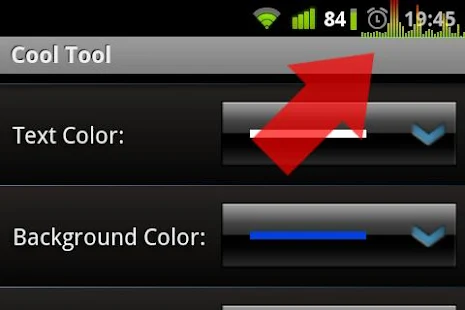
- "Behind clock" injection position
- More aggressive full screen detection.
- Xposed Framework features
- Navigation Drawer
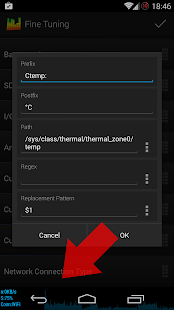
- Custom labels setup moved to Fine Tuning screen
- Adjustable regex replacement pattern for custom labels
- fixes 
Read More..