Pages

Tampilkan postingan dengan label cool. Tampilkan semua postingan

Sabtu, 18 Februari 2017

Sinopsis Innocent Man Nice Guy Episode 1 20

Sinopsis Nice Guy


Judul : Nice Guy/The Good Man Never Seen Before/Innocent Man
Judul asli : ?? ???? ?? ???? / Sesang Eodiedo Eobsneun Chakan Namja
Genre: Melodrama, romance
Episodes: 20
Sutradara : Kim Jin Won
Penulis : Lee Kyung Hee
Tayang : KBS2, setiap Rabu & Kamis 21:55 kts, mulai 12 September 2012

Note: Setelah mengklik link, silahkan tunggu 5 detik sampai munculkotak bertuliskan “SKIP ADD” di bagian kanan atas halaman. Bila Halaman yangdituju tidak muncul, silahkan direfresh kembali halaman tersebut.

Trailer: http://adf.ly/D7mqq
Soundtrack: http://adf.ly/Esun5
Sinopsis:
Episode 1 http://adf.ly/DrA60
Episode 2 http://adf.ly/DrA81
Episode 3 http://adf.ly/DrA9Z
Episode 4 http://adf.ly/E1Cx8
Episode 5 http://adf.ly/EsujL
Episode 6 http://adf.ly/Esul6
Episode 7 http://adf.ly/FIqrQ
Episode 8 http://adf.ly/FIqu0
Episode 9 http://adf.ly/Fq92Y
Episode 10 http://adf.ly/G9sNd
Episode 11 http://adf.ly/H9X5S
Episode 12 http://adf.ly/HXM0K
Episode 13 http://adf.ly/KZYMQ
Episode 14 http://adf.ly/LDrJn
Episode 15 http://adf.ly/RxzOA
Episode 16 http://adf.ly/XLTDg
Episode 17 http://adf.ly/c4mYD
Episode 18 
Episode 19
Episode 20 (END)
Read More..

Jumat, 22 Juli 2016

Fingerprint Screen Lock ICS

Fingerprint Screen Lock ICS app for android is really fun security that let you place your thumb on your phone screen to unlock it.
Now you can lock your screen and use your fingerprint to unlock your screen and Fingerprint Screen Lock ICS is the best fingerprint lock in the Google Play. Simply run the finger print lock app and you will get the screen locked mode and it looks very attractive and it shows you current time and date with the same look and feel of Ice cream sand witch OS. Fingerprint Screen lock is designed for all the HD devices and supports all the other android devices as well. Show your friends that your device works as biometric fingerprint scanner.

FEATURES
- Used ICS features and looks.
- Best image qualities with optimized device compatibility.
- Professional looking and works with all HD the devices.
- Shows date and time(ICS look and feel)
- New tricky way to unlock your device.

HOW TO UNLOCK( THE TRICK) : Place your finger on the scanner and hold it. Then lock icon starts blinking, count the blinks and once it completes 4 blinks release your finger and fingerprint screen lock will be unlocked. Your friends do not know the trick , you can simply pretend that it works only for your fingerprint.

Note! – Fingerprint Lock app does not actually scan your fingerprint and it’s obvious that phone screen cannot be used as a biometric fingerprint scanner for now. Fingerprint lock lite version works as screen lock and disables your back button, you can fool your friends by simply saying it works like a real biometric fingerprint scanner. Click how to use button and it explains how to use the fingerprint lock screen app and how to unlock it. Fingerprint lock free is a fun app and develper is not liable for any actions involving the use of this app and can not guarantee that it works as a security measure,phone lock or a screen lock, it’s just for fun, I can gurantee that it won’t do any harm to your device and enjoy with your friends.

File Size: 2.14 MB
Current version: 5.2
Requires Android: 2.2 and up

Download Links:
http://www.tusfiles.net/dnfpwxoecx1p
http://uploaded.net/file/iuzwqv58
http://www58.zippyshare.com/v/41579394/file.html

DISCLAIMER: Fingerprint Screen Lock ICS is the property and trademark from the developer KALUM FERNANDO, All rights reserved by KALUM FERNANDO.
Read More..

Senin, 14 Maret 2016

Cool Symbols Emoji Emoticon 5 2 APK Free Download


Cool Symbols Emoji Emoticon included every emto that you would love to use while communicating, chatting or for some fun with your friends. I love it very much. It was about 2013, I noticed that there was a little secret hiding in the Android System, some interesting symbols in the system. It took me one week to study on these symbols and it seemed very very interesting to me. Although my co-workers thought it was a waste of time, I realized that messages delivered by symbols, sometimes are much better than words. Additionally, it could make your text, Facebook messages more personalized. In the meantime, I was studying the Android development, so I developed this small program when I was at home after work and posted on Google Play. Unexpectedly, Coolsymbols was more than welcome on internet, having more and more downloads. More and more users have encouraged me that I am motivated to keep developing the new versions. I have launched some Picture Expression Packages with some other artists in the world. At present, Coolsymbol has worldwide users in 100 countries, have downloaded 5,000,000, hundreds of thousands of people are using every day. I am so grateful to the worldwide users for their support and hope that it would bring joy to you.

=================
Michael Blair and Lingling Blair translate this story. Thank you my friends.

=================


CoolSymbols include more than 1000 interesting symbols ? and emoticon ???. You can use it insert into SMS,facebook,twitter and etc.

Click the heart and select symbol then you can paste it into SMS,facebook,twitter,text editor and etc.

If you get error code 24 from google play update, This is google plays error. please uninstall old version and install new verison again.

If you can not launch select symbols interface, after click notification bar please restart phone.


If you have any question please send mail to me:wupeng.android.dev@gmail.com.

Join Beta test group: https://plus.google.com/communities/100277968044707947490

If you are artist want to create some emoticon on Coolsymbols please contact me.

====Blank Boxes====
If you use Samsung phone maybe some of symbols cant display, please set fonts to default in setting.
If still not display please go to https://play.google.com/store/apps/details?id=com.monotype.android.font.emoji to install emoji font for galaxy S3 & S2
If you use galaxy S4 please download from http://www.coolsymbols.mobi/download/EmojiFont.apk

===How to add custom symbols===
First make direction coolsymbols on your SD card, and make a file Custom.txt (Note that the case of letters).
2nd input your symbols in Custom.txt, each symbol separated by a space.
Last you can find your custom symbol in app.

===Get Emoticon Package===
https://play.google.com/store/search?q=com.pengpeng.coolsymbols.emoticonpackage&c=apps


File Size: 6.30 MB
Current version: 5.2
Requires Android: 2.3 and up

Download Links:
http://www.tusfiles.net/f0nkgzw4iz19
http://uploaded.net/file/ekybhdzu
http://www44.zippyshare.com/v/80015565/file.html

DISCLAIMER: Cool Symbols Emoji Emoticon is the property and trademark from the developer Small-world Co., Ltd., All rights reserved by Small-world Co., Ltd.
Read More..

Rabu, 05 Februari 2014

Cool Tool system stats 5 3 3 Ad Free apk


This utility allows you to monitor a various system info in "always on top" floating window (overlay mode).


Size: 0.712 MB
Android Requires : 2.1+

More Info on Google Play:
https://play.google.com/store/apps/details?id=ds.cpuoverlay


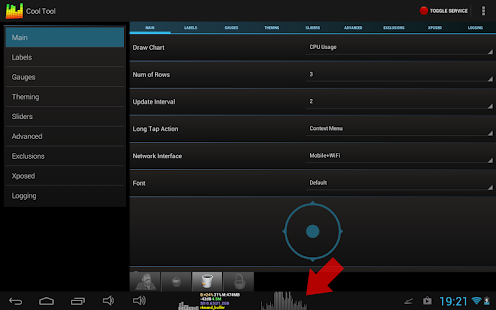
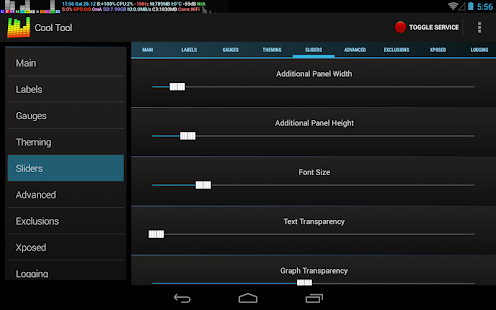
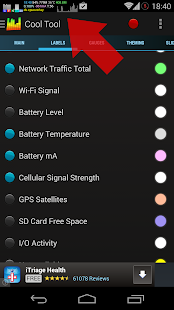
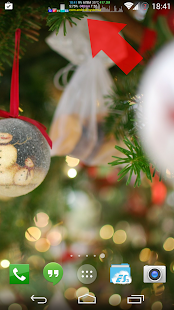
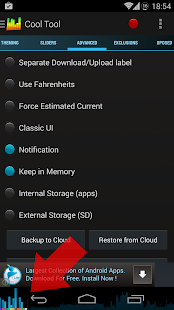
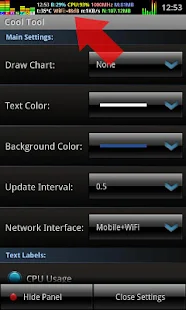
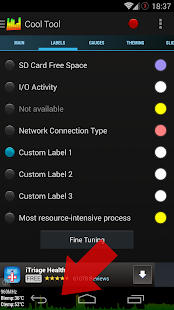
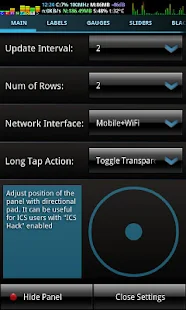
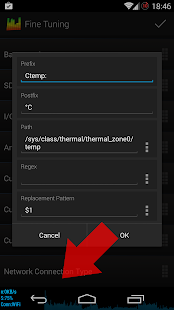
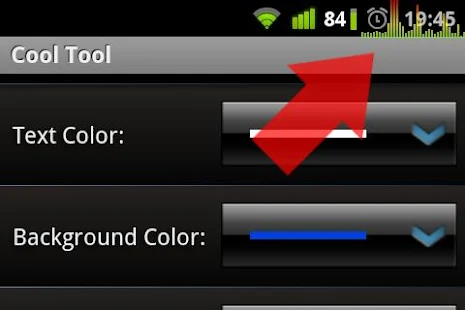
 Cool Tool - system stats - screenshot thumbnailCool Tool - system stats - screenshot thumbnailCool Tool - system stats - screenshot thumbnailCool Tool - system stats - screenshot thumbnailCool Tool - system stats - screenshot thumbnailCool Tool - system stats - screenshot thumbnailCool Tool - system stats - screenshot thumbnailCool Tool - system stats - screenshot thumbnailCool Tool - system stats - screenshot thumbnailCool Tool - system stats - screenshot thumbnail

About Cool Tool - system stats 
This utility allows you to monitor a various system info in "always on top" floating window (overlay mode).
Available features:
- CPU Usage meter
- Free RAM meter
- CPU Frequency indicator
- 2g/3g/Wi-Fi Traffic meter
- Battery Level
- Battery Temperature
- Battery Current (mA)
- Wi-Fi Signal Level
- I/O Activity
- Time/Date indicator
- GSM Cell Signal Level (Samsung Galaxy S2 and Galaxy Note are not supported due to firmware bug!)
- Number of fixed GPS satellites
- SD Card free space
- Most resource-intensive processes
- Task Killer
- Audio VU and visual equalizer

Also there is nice real time graph on background. 
Press Show Panel button to enable dashboard. You can drag floating window over the screen or double tap to open settings. See video and screen-shots for details.

This application allows you to:
- Easy diagnostic problem processes that consume resources excessively.
- With Cool Tool you can monitor full-screen applications (games, video players, browsers).
- Monitor your Internet traffic without closing the browser window.
- Make your battery level always visible, with accurate percentage scale.
- Monitor how good your CPU governor switches between CPU frequencies in idle/stresses

Dont forget to try custom themes!

Tips:
Customize the appearance of the panel using color picker dialogs. Also you can adjust transparency and size of the panel in Sliders section.
If you want the panel did not receive touch events, just select the "ICS hack" box. If you Android 4.0 user, you also may want to turn it on. Since in ICS the status bar is drawn on top of all. Even on top of Cool Tool:)
Tons of gauges could drain your battery very quickly. Uncheck the features that you do not need. Btw, Cool Tool went to sleep and do not draw anything when your display turns off. It is for powersave.
Warning! "Show most resource-intensive process" feature is pretty resource-intensive :) You should use it only if you really need it.
If you want to hide Cool Tool panel in specific app, just select that app in Black List tab.

ps: If you want to help me localize app into your native language, let me know.

Please note!
GSM signal strength is not supported on Samsung Galaxy S2 and Galaxy Note due to firmware bug!

Required permissions:
RECEIVE_BOOT_COMPLETED - Run on Startup feature
SYSTEM_ALERT_WINDOW "Stay On Top" feature
INTERNET & ACCESS_NETWORK_STATE - Ad banner
ACCESS_WIFI_STATE - WiFi Signal determine
VIBRATE - haptic feedback
KILL_BACKGROUND_PROCESSES & RESTART_PACKAGES - Task Killer
CHANGE_NETWORK_STATE - GSM Signal feature
ACCESS_FINE_LOCATION - Num Of GPS Sats feature
WRITE_EXTERNAL_STORAGE - Backup settings to sdcard
MODIFY_AUDIO_SETTINGS & RECORD_AUDIO - equalizer & VU
READ_PHONE_STATE - some phone models required this permission for cell signal reading.

Recent changes:
5.3.3
Last update in this year. Honestly :)
Hotfix for panel width slider (more exponential behavior)

5.3 - 5.3.2
- "Behind clock" injection position
- More aggressive full screen detection.
- Xposed Framework features
- Navigation Drawer
- Custom labels setup moved to Fine Tuning screen
- Adjustable regex replacement pattern for custom labels
- fixes 
Read More..